
What Is CRM Software and Why Do Small Businesses Need It?
Every small business reaches the same moment. A customer calls and nobody remembers what was quoted. A lead from three weeks ago goes cold because nobody followed up. A spreadsheet has four versions and nobody knows which one is current. That moment is the answer to the question of what is CRM software and why do small businesses need it: a CRM is the system that stops customers from slipping through the gaps your memory leaves behind.
CRM stands for customer relationship management. The software is a central hub for every interaction your business has with customers and prospects — contact details, conversations, quotes, orders, support tickets and follow-ups — stored in one place where the whole team can see it. Think of it as your business’s shared memory: every contact, every conversation, every open deal and every task associated with moving a sale forward, in one system instead of in one person’s head, inbox or notebook.
What a CRM actually does
Strip away the vendor marketing and a CRM does five things.
It keeps one record per customer. Every enquiry, quote, order and message attached to the same person or company, with the full history visible to anyone authorised to see it. When a customer calls, anyone on the team can see what was promised last time instead of asking the customer to repeat it.
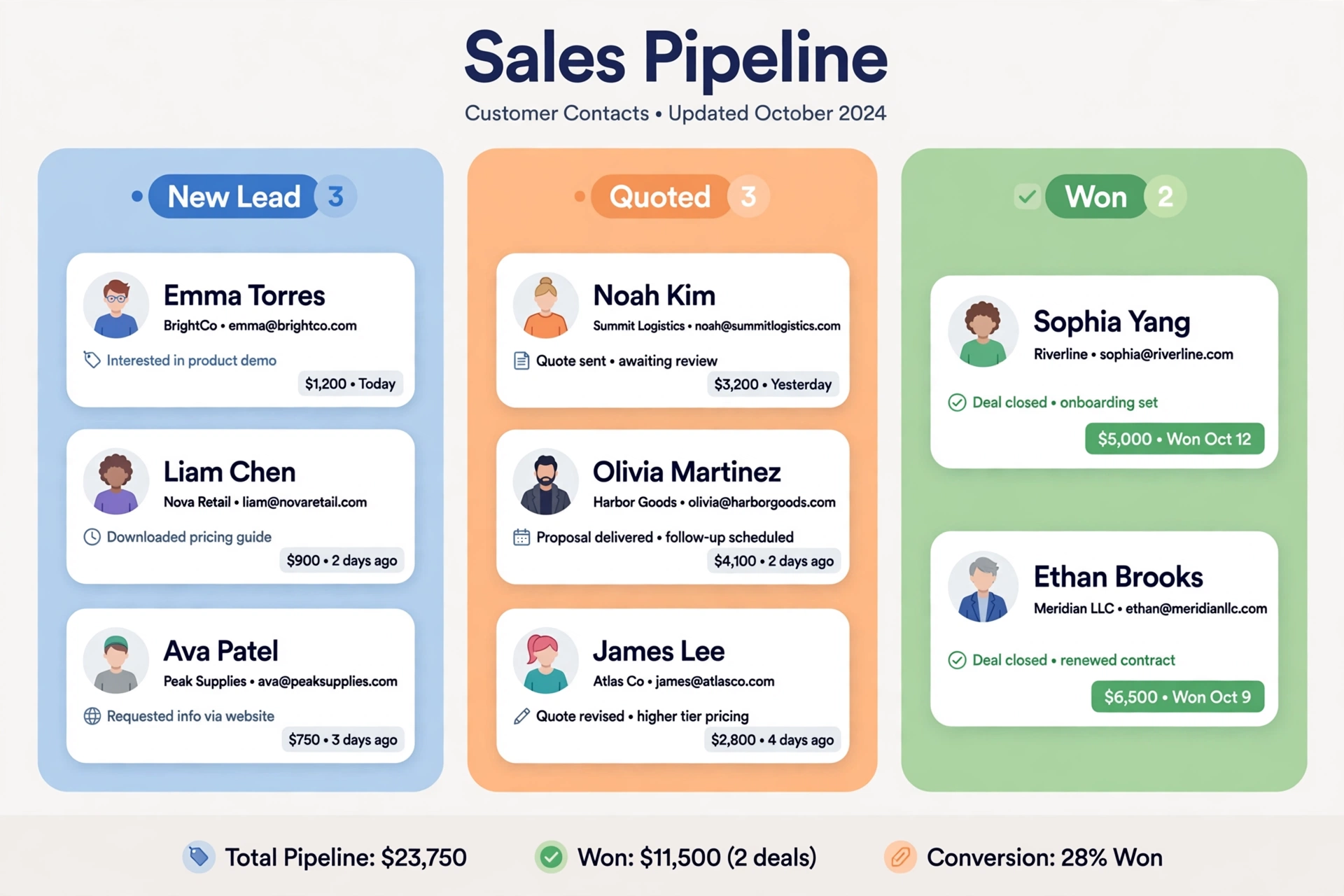
It tracks the pipeline. Each opportunity sits at a stage — new lead, quoted, negotiating, won or lost — so you can see at a glance how much business is in progress and where it is stuck. A simple pipeline view answers the question “how are we doing this month?” without a meeting.
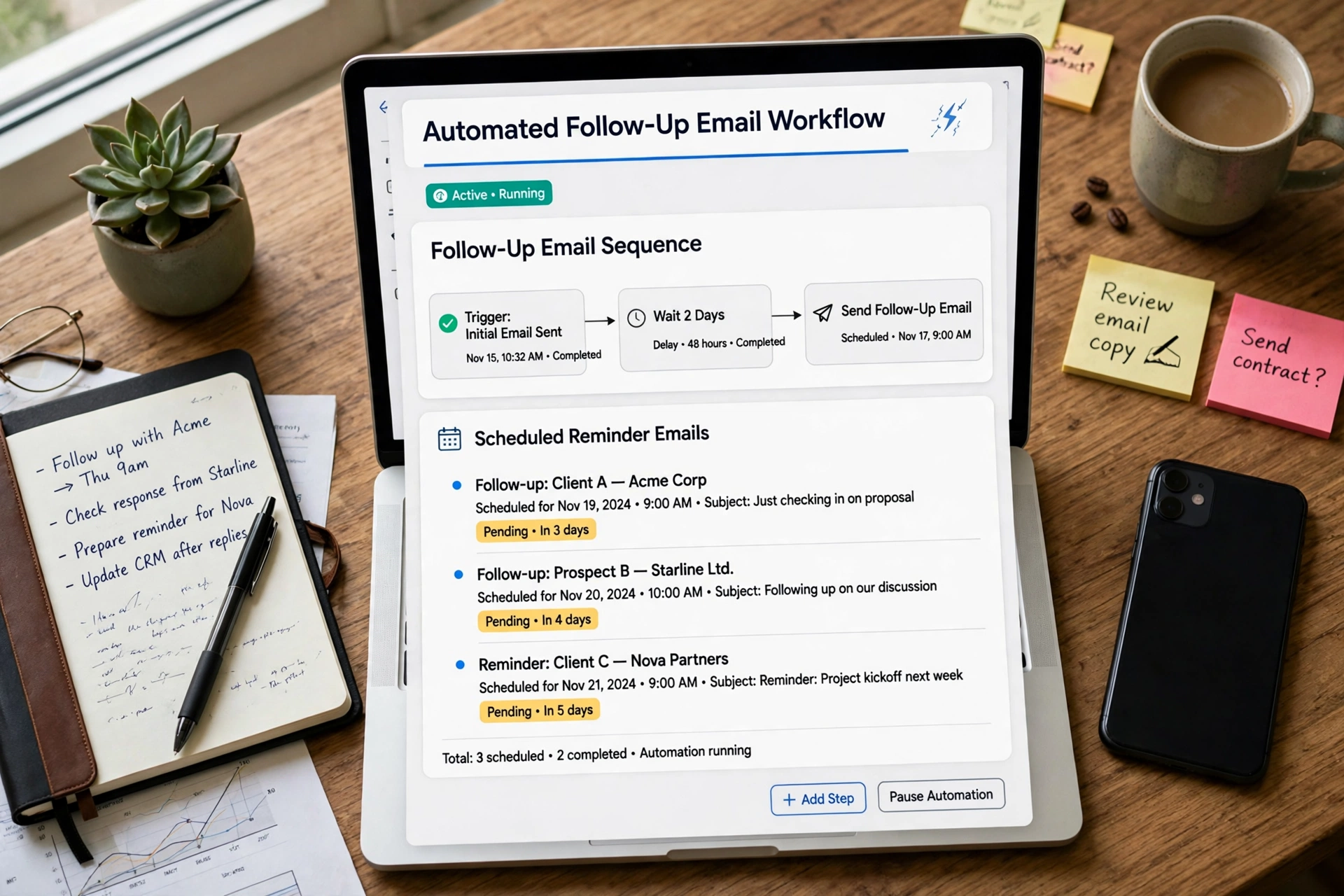
It makes sure follow-ups happen. Every deal has an owner and a next action with a date. The CRM reminds the owner, and the owner cannot quietly forget. This is the single feature that pays for the software in most small businesses, because a forgotten follow-up is a lost sale you never hear about.
It automates the repetitive work. New enquiry arrives, the CRM logs it, assigns it, sends an acknowledgement, and schedules the follow-up. A quote is accepted, the CRM creates the invoice task and the onboarding checklist. None of this is glamorous. All of it is hours a week back.
It turns scattered information into decisions. Which products sell to which customers? Which lead source actually closes? Who has not bought in six months and should get a check-in call? A CRM answers those questions from the data you already have, instead of from a guess in a meeting.
The three types of CRM
Vendors divide CRMs into three types, and the distinction helps you buy the right one rather than the biggest one.
An operational CRM handles the daily work: contacts, sales pipeline, marketing emails and customer service tickets. This is what most small businesses need, and most small-business CRMs are operational by default.
An analytical CRM focuses on the data: sales reports, customer segmentation, forecasting. Larger CRMs include this as a reporting layer, and it becomes valuable once you have a year or two of data to analyse.
A collaborative CRM focuses on sharing information across teams — sales, support and marketing all seeing the same customer. For a five-person team that sits in the same room, this is mostly automatic; for a team spread across locations, it is the reason the CRM exists.
For a small business, the practical choice is an operational CRM with decent reporting. You can ignore the rest until you need it.
Why small businesses need one: the numbers
The most common objection from small owners is that a CRM is a big-company tool. The adoption data says otherwise. According to the Salesforce State of Sales Report, 91% of companies with ten or more employees now use a CRM. Freshworks research puts adoption at 71% of small businesses with 500 or fewer employees, and HubSpot’s State of Marketing Report found 65% of businesses with one to fifty employees use one. The businesses that have not adopted one are now the minority, not the norm.
The return is the reason adoption keeps climbing. Nucleus Research’s long-cited benchmark puts CRM return on investment at $8.71 for every dollar spent, although its 2023 update based on 63 case studies put the figure at $3.10 — a reminder that the return depends heavily on whether the team actually uses the system daily. Other widely cited results: companies using CRM report a 17% increase in lead conversions, a 16% boost in customer retention and a 21% improvement in agent productivity, according to WebFX’s summary of the research; Salesforce’s own figures put the gains at up to 29% in sales, 34% in sales productivity and 42% in forecast accuracy. Freshworks found that 97% of businesses using a CRM met or exceeded their sales goals, and that CRM users are 86% more likely to exceed their targets than businesses without one.
The retention maths is the part that should convince a sceptic. Acquiring a new customer costs roughly five times as much as retaining an existing one, and the classic Bain finding — repeated by Xero in its small-business CRM guide — is that retaining 5% more customers can increase profits by between 25% and 95%. A CRM’s job is largely retention: reminding you to check in with past customers, tracking purchase history, and making sure no customer is forgotten simply because nobody wrote it down.
Six signs you need a CRM now
You do not need a CRM because a vendor says so. You need one when the symptoms show up. Any two of these is enough:
- Leads go cold because nobody followed up. You cannot say how many open quotes you have right now, or when each one was last touched. That is the clearest sign there is.
- Customer information lives in four places. The inbox, a phone, a notebook and someone’s head. When that person is on holiday, the customer might as well be a stranger.
- You lose deals you should have won. Not to a competitor’s better product — to silence. The customer bought from whoever called back first.
- You are paying for leads and wasting them. Every enquiry from an ad has a cost. A lead that sits unanswered for three days wastes that money, and a CRM is the cheapest place to recover the value.
- Two people give the same customer two different answers. Without a shared record, the left hand cannot see what the right hand promised.
- You cannot answer simple questions about your own business. Who are your ten best customers? Which product has the highest repeat rate? What did you sell last quarter, and to whom? If those questions take a day of spreadsheet archaeology, the system is missing.
When a spreadsheet is still enough
Honesty requires the other side. If you get a handful of enquiries a month, know every customer personally, and a spreadsheet already tells you what is open, you probably do not need a CRM yet. A CRM does not fix a lack of enquiries. It fixes the loss of the ones you already have. The test is simple: if you have ever lost a job because you forgot to follow up, or you could not say how many quotes are open right now, the spreadsheet has stopped working and you need one.
What a small business CRM costs
Pricing is no longer the barrier it was. HubSpot offers a free tier that covers contacts, pipeline and basic automation, and its paid Starter plan runs $15 to $20 per user per month. Zoho CRM starts at $14 per user per month, Pipedrive at $14, Freshsales at $9 and Bigin at $7. Salesforce’s Starter plan is $25 per user per month. For a three-to-five-person team, a workable CRM costs roughly $20 to $75 per user per month — $720 to $4,500 a year — which is small against the cost of a single lost deal. The full comparison of how much a CRM costs for a small business breaks down the per-team-size pricing across the major vendors, including where the free tiers end and the paid features begin.
The cost that matters more than the subscription is the setup cost: the hours spent importing contacts, cleaning duplicates and deciding how your pipeline stages should work. Budget a day for that, and do it before you invite the team in.
How to pick the right one
Five criteria decide whether a CRM will still be in use in six months.
Ease of use beats features. A CRM the team will not open is worth nothing. If the demo feels complicated, it is. The best small-business CRMs are the ones a new hire can use without training.
Integrations with the tools you already have. The CRM should connect to your email, your accounting software and your website forms, so data flows in without retyping. If you run your books on QuickBooks or Xero, check the integration before you buy — the QuickBooks vs Xero comparison covers what each one connects to and what the accounting side costs.
Mobile access. Half of follow-ups happen away from a desk. Mobile CRM users hit quota far more often than desktop-only users — 65% against 22% in one widely cited study — because they update the record in the moment instead of at the end of the day.
Automation that matches your workflow. Can it send a follow-up reminder automatically? Can it assign a new lead to the right person? Can it send a thank-you email when a deal closes? Test the two or three automations you will actually use, not the fifty you will not.
A price that survives growth. Check what the plan costs when you add a sixth user, and what happens when you outgrow the free tier. A CRM that doubles in price at the exact moment your team grows is a trap.
How to roll it out without the team hating it
The research is blunt about why CRM projects fail: 20% to 70% fail because of poor user adoption, and 30% of users say their CRM tools are inefficient. The technology is rarely the problem. The rollout is.
Start with one pipeline and one habit. Import your contacts, clean the duplicates, and define five pipeline stages that match how you actually sell — not the twelve the vendor suggests. Give every deal an owner and a next action. Then use the CRM in the weekly sales meeting, on the screen, so the team sees that the record is where decisions come from. If the meeting runs from the CRM, the team will keep the CRM current. If the meeting runs from memory, the CRM dies within a month.
Appoint one owner — one person who keeps the data clean, fixes duplicates and answers “how do I log this?” for the first month. And resist the urge to customise everything on day one. A CRM that does contacts, pipeline and follow-up reminders well is worth more than a CRM with forty custom fields nobody fills in.
The same discipline applies to the rest of the stack. AI tools for bookkeeping and invoicing, for example, only save time once the underlying records are organised — and a CRM is where the customer side of those records lives. A business that can find every customer, every quote and every follow-up in one place is a business that can grow without hiring someone just to remember things. That is the whole case for a CRM, and it is why the businesses that adopt one early rarely go back.
The bottom line
A CRM is not a sales tool. It is your business’s memory, its to-do list and its early-warning system in one place. It stops leads from going cold, stops customers from being forgotten, and turns the information you already have into decisions you can defend. The same system works whether you sell digital products online or run a local service business — the follow-up discipline is identical. Most small businesses see measurable results within six to twelve weeks, and the cost of a small-team plan is a fraction of one lost deal. The question is not whether your business is big enough for a CRM. It is whether you can still afford to run it from memory.
Frequently asked questions
What does CRM stand for?
CRM stands for customer relationship management. It is software that stores and organises every interaction a business has with its customers and prospects — contacts, conversations, quotes, orders and follow-ups — in one shared system.
Do I need a CRM if I am a solopreneur or a very small team?
Yes, if you handle enough enquiries that some slip through the cracks. Small businesses benefit the most from a CRM because they have no spare staff to cover for a missed follow-up. If you only get a handful of enquiries a month and know every customer personally, a spreadsheet may still be enough — until the first lost deal proves otherwise.
How much does a CRM cost for a small business?
Most small-business CRMs cost between $7 and $25 per user per month at the entry level — Bigin at $7, Freshsales at $9, Zoho and Pipedrive at $14, HubSpot Starter at $15 to $20, Salesforce Starter at $25. HubSpot also offers a free tier. For a three-to-five-person team, budget roughly $720 to $4,500 a year.
What is the difference between a CRM and a spreadsheet?
A spreadsheet stores information. A CRM stores information and acts on it: it reminds you to follow up, assigns deals to owners, tracks where each opportunity sits in the pipeline, automates routine emails and shows the whole team the same customer record. A spreadsheet cannot tell you which quotes are about to go cold.