

How to Sell Digital Products Online: Platforms, Fees and the Tax Trap First-Time Sellers Miss
Selling a digital product is one of the simplest ways to earn money online: you build the thing once and sell it again and again, with no warehouse, no shipping, and no inventory. A printable planner or a set of Lightroom presets can sell while you are asleep — if you pick the right product, platform, and price.
This guide covers choosing a product, checking demand, comparing platform fees, the merchant-of-record tax trap, and pricing. Fee figures come from the platforms’ own pricing and help pages, checked in October 2026.
What Counts as a Digital Product
A digital product is a file or a piece of online access that a customer can buy and use immediately, and sell many times over. The most common types are printable planners and wall art, Canva and Notion templates, spreadsheets and budgeting tools, Lightroom presets, ebooks, SVG cut files for craft machines, and online courses.
The appeal is obvious: after the first sale, serving the next customer costs close to zero. But the market is crowded, so the products that sell solve a specific problem for a specific person.
Templates and printables are the easiest place to start: quick to make, cheap for buyers, typically $5 to $30. Courses take longer to build and need an audience, so save them for later.
How to Pick a Product That Will Actually Sell
Start with a problem you understand. The best digital products usually come from something the seller needed themselves — a teacher’s lesson planner, a photographer’s editing style, a freelancer’s invoice spreadsheet. If you have lived the problem, you can describe the solution in the buyer’s own words.
Then check whether strangers care. Search the platform you plan to sell on and look at the top sellers’ review counts. A niche with sellers who have thousands of reviews is proven but competitive; one with no sellers at all usually means nobody is searching for it.
Finally, think about what the product is worth to the buyer: a $12 wedding planner template is an easy impulse buy, a $49 business spreadsheet an easy buy for a daily user. Price and value have to match the buyer’s situation, not your effort.
Validate Demand Before You Build
The most expensive mistake in this business is building a product nobody wants — so spend a few days checking demand before you spend weeks creating anything.
First, search for your idea where you would sell it. If similar products have steady recent reviews, demand exists. Read the three-star reviews: buyers say exactly what is missing, and that gap is your product.
Second, type your idea into the search bar on Etsy, Gumroad, or Google: the autocomplete suggestions show the words real buyers type.
Third, test before you build the full thing: post a free, smaller version — a one-page planner sample, a single preset, a free ebook chapter — and see whether anyone downloads it.
How to Sell Digital Products Online: Comparing Platform Fees
Your platform decides three things: how much of each sale you keep, how much free traffic you get, and who is legally responsible for sales tax.
Etsy gives you the biggest built-in audience — the thing that matters most when you are starting from zero. It charges $0.20 per listing, renewed every four months, plus a 6.5% transaction fee and 3% + $0.25 for payment processing. Its Offsite Ads program takes another 15% on sales it drives, dropping to 12% past $10,000 a year in sales, capped at $100 per order. Etsy is the marketplace, so it collects sales tax for you. Before you list anything, read a full breakdown of how much it costs to sell on Etsy so the fee stack does not surprise you.
Gumroad is the simplest option for selling to your own audience. It takes 10% + $0.50 on every direct sale, and 30% on sales found through its Discover marketplace. Since January 1, 2025, Gumroad has been the merchant of record, so it collects and remits sales tax and VAT for you.
Lemon Squeezy charges 5% + $0.50 per transaction, processing included, and it is also a merchant of record, so it handles tax for you. For many first-time sellers it is the best balance of low fees and low paperwork.
Payhip has a free plan that takes 5% per sale, a Plus plan at $29 a month that takes 2%, and a Pro plan at $99 a month that takes 0%, plus Stripe or PayPal processing. It handles EU and UK VAT for you.
Shopify Basic costs $39 a month ($29 paid yearly), plus 2.9% + 30 cents per sale with Shopify Payments. You get the most control, but you are the seller, and sales tax is your job.
Ko-fi is the cheapest way to start with an audience. Its free plan takes 5% on shop sales, and Gold costs $12 a month and takes 0%. Payments go straight to your PayPal or Stripe — but you handle tax yourself.
Amazon KDP is the route for ebooks. You earn a 35% or 70% royalty, and the 70% rate only applies to list prices between $2.99 and $12.99 on Amazon.com. The top of that band rose from $9.99 on July 7, 2026.
| Platform | Monthly cost | Fee per sale | Who handles tax |
|---|---|---|---|
| Etsy | $0 (per-listing $0.20) | 6.5% + 3% + $0.25, plus $0.20 listing | Etsy (marketplace) |
| Gumroad | $0 | 10% + $0.50 direct; 30% via Discover | Gumroad (merchant of record) |
| Lemon Squeezy | $0 | 5% + $0.50, processing included | Lemon Squeezy (merchant of record) |
| Payhip | $0 / $29 / $99 | 5% / 2% / 0% + Stripe or PayPal processing | Payhip (EU/UK VAT) |
| Shopify Basic | $39 ($29 yearly) | 2.9% + $0.30 | You |
| Ko-fi | $0 / $12 | 5% / 0% | You |
| Amazon KDP | $0 | 35% or 70% royalty to you | Amazon (marketplace) |
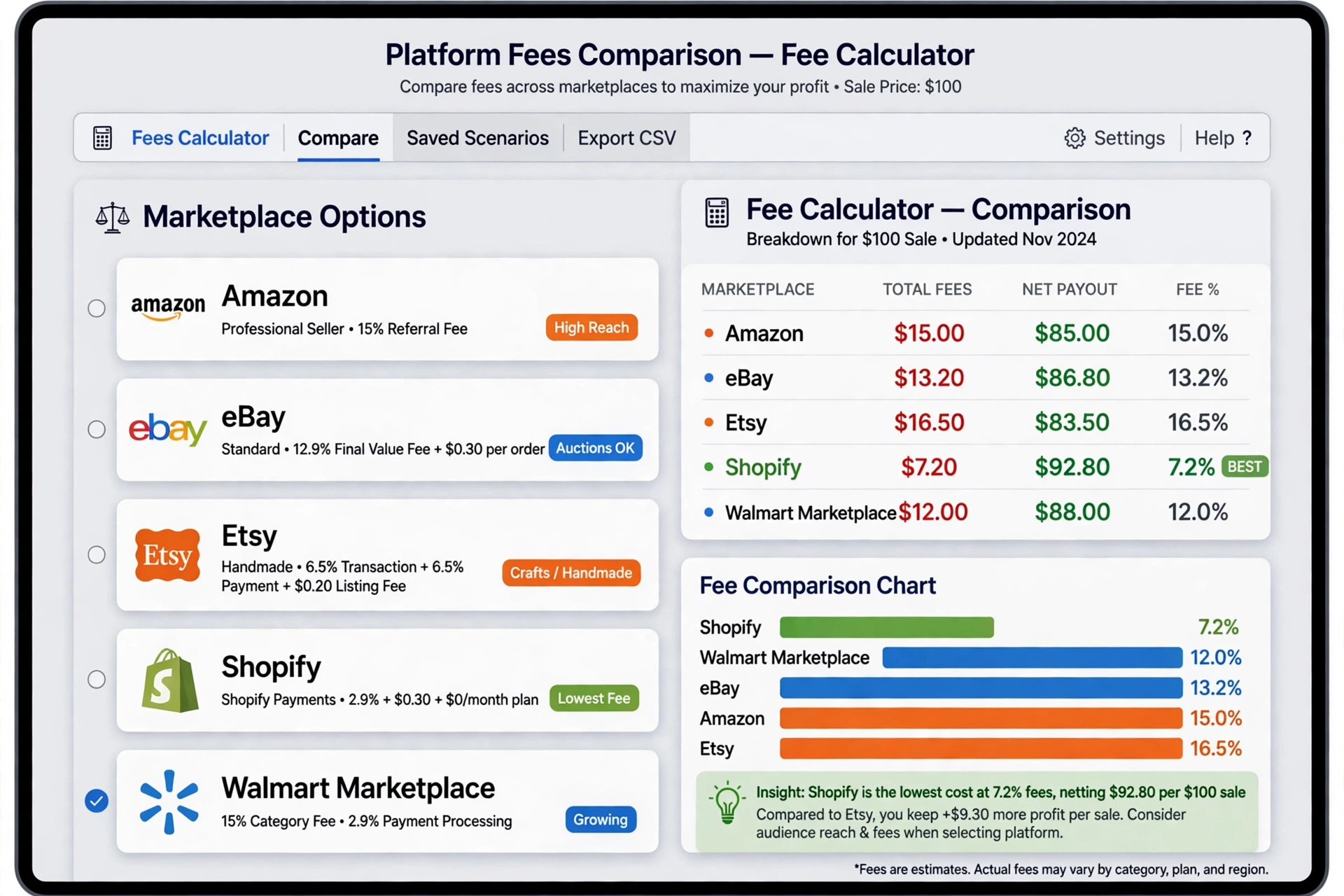
With no audience yet, a marketplace like Etsy is usually the right first step, because its search traffic finds buyers for you. With an audience, a low-fee platform like Lemon Squeezy or Ko-fi keeps more of each sale. Run your own numbers through our marketplace fee calculator first — the cheapest option changes with your price and volume.
The Merchant-of-Record Tax Trap First-Time Sellers Miss
Here is the part most beginners skip, and the part that causes the most trouble later. When a customer buys a digital product, somebody is legally the seller — and that somebody must collect and pay sales tax and international VAT. That somebody is the merchant of record.
When the platform is the merchant of record — Gumroad, Lemon Squeezy, Etsy, and the Notion Marketplace, for example — the platform is the legal seller: it collects the tax and pays it to the right government for you. You receive your payout and report your income.
When the platform is not the merchant of record — your own Shopify store, Stan, or Ko-fi, for example — you are the seller, and sales tax is your job: registering where you have buyers, collecting the right rate, and filing returns. In the European Union, digital products sold to consumers are generally taxed at the VAT rate of the buyer’s country, not yours, so one sale abroad can create a tax obligation you did not expect.
That is the tax trap: the low fee was never the full cost, and the seller discovers the filings only after the sales. On your own store, take tax seriously from the first sale.
How to Price a Digital Product
Pricing is where most beginners either leave money on the table or price themselves out of sales. Three rules keep you out of both traps.
First, anchor on value, not effort. Buyers pay for the result, so ask what the problem costs them and price a fraction of that.
Second, look at what comparable products actually sell for — the products with the most reviews in your niche set the market price. If best sellers charge $12, a $45 version needs a clear reason to cost more.
Third, fees scale with price: a platform taking 10% plus 50 cents bites far harder on a $5 sale than a $50 one. That is why the $5–$30 band works for templates on fee-heavy platforms, while higher-priced products suit low-fee platforms or your own store. Sell bundles: three related templates for $25 often outsell three separate $10 ones, and you pay one transaction fee instead of three.
Worked Example: What You Keep on a $15 Sale and a $100 Sale
The numbers make the platform choice concrete. On a $100 sale, before monthly plan costs, you would keep about $96.80 on Stan Store, $94.50 on Lemon Squeezy, $90.05 on Etsy, $86.30 on a direct Gumroad sale, and $70.00 on a Gumroad sale found through Discover. The gap between the best and worst option is nearly $27 on a single sale.
The same gap shows up on a smaller sale. On a $15 sale, Lemon Squeezy’s 5% + $0.50 leaves you about $13.75. A direct Gumroad sale at 10% + $0.50 leaves you about $13.00. Etsy takes its 6.5% transaction fee plus 3% + $0.25 processing plus the $0.20 listing fee, leaving you about $13.13. A Gumroad Discover sale at 30% leaves you just $10.50.
Two lessons follow. First, the fixed per-sale charge bites hardest on cheap products, so very low prices are rarely worth it on fee-heavy platforms. Second, marketplaces that find customers for you charge for the privilege. Discover’s 30% looks steep, but a sale you would never have made alone is still $10.50 you did not have.
Selling physical stock too? See our guide to eBay selling fees explained for a physical-goods comparison. And if you also plan to publish ebooks, compare the marketplace numbers in how much it costs to sell on Amazon before choosing between KDP and a direct-sales platform.

Tax Basics for Digital Product Sellers
Tax is the least exciting part of selling digital products, and the part you most need to get right. In the United States, money from digital product sales is self-employment income. You report it on Schedule C, and you owe the 15.3% self-employment tax on 92.35% of your profit once your net earnings reach $400 — whether or not you receive a 1099-K form. The $400 threshold is low on purpose.
Set aside 25–30% of your profit for taxes as the money comes in, in a separate account you do not touch.
Keep records from the first sale: payout reports, listing fees, and software subscriptions are all part of your tax picture, and deductible expenses reduce the profit you are taxed on. This is general information, not tax advice: rules vary by state and country, so talk to a tax professional once sales grow past a hobby.
Frequently Asked Questions
How do I start selling digital products?
Pick a product that solves a specific problem, validate demand first, then list it on a platform that fits your situation — a marketplace like Etsy if you have no audience yet, or a low-fee platform like Lemon Squeezy if you do. Price it like comparable products and keep the first version simple, improving it from real customer feedback.
Which platform is best for selling digital products?
It depends on whether you have an audience. Etsy is best for beginners with none, because its search traffic brings buyers to you, though its fees are higher. Gumroad and Lemon Squeezy are best for sellers with an audience, because fees are lower and both act as merchant of record, handling tax for you. Shopify suits sellers who want full control and are ready to handle tax themselves.
Do I have to pay tax on digital products I sell?
Yes. In the United States, income from digital product sales is self-employment income, reported on Schedule C, and you owe 15.3% self-employment tax on 92.35% of your profit once net earnings reach $400, with or without a 1099-K. Set aside 25–30% of profit for taxes and keep records from the first sale.
What is a merchant of record?
The merchant of record is the company that legally sells to your customer. When a platform like Gumroad, Lemon Squeezy, or Etsy is the merchant of record, it collects and pays sales tax and VAT for you. When it is not — your own Shopify store or Ko-fi, for example — you are the seller, and tax is your responsibility.
Source: platform pricing and help pages, checked October 2026; IRS guidance on self-employment tax.