How to Protect a Small Business From Ransomware: The 7 Layers That Actually Work
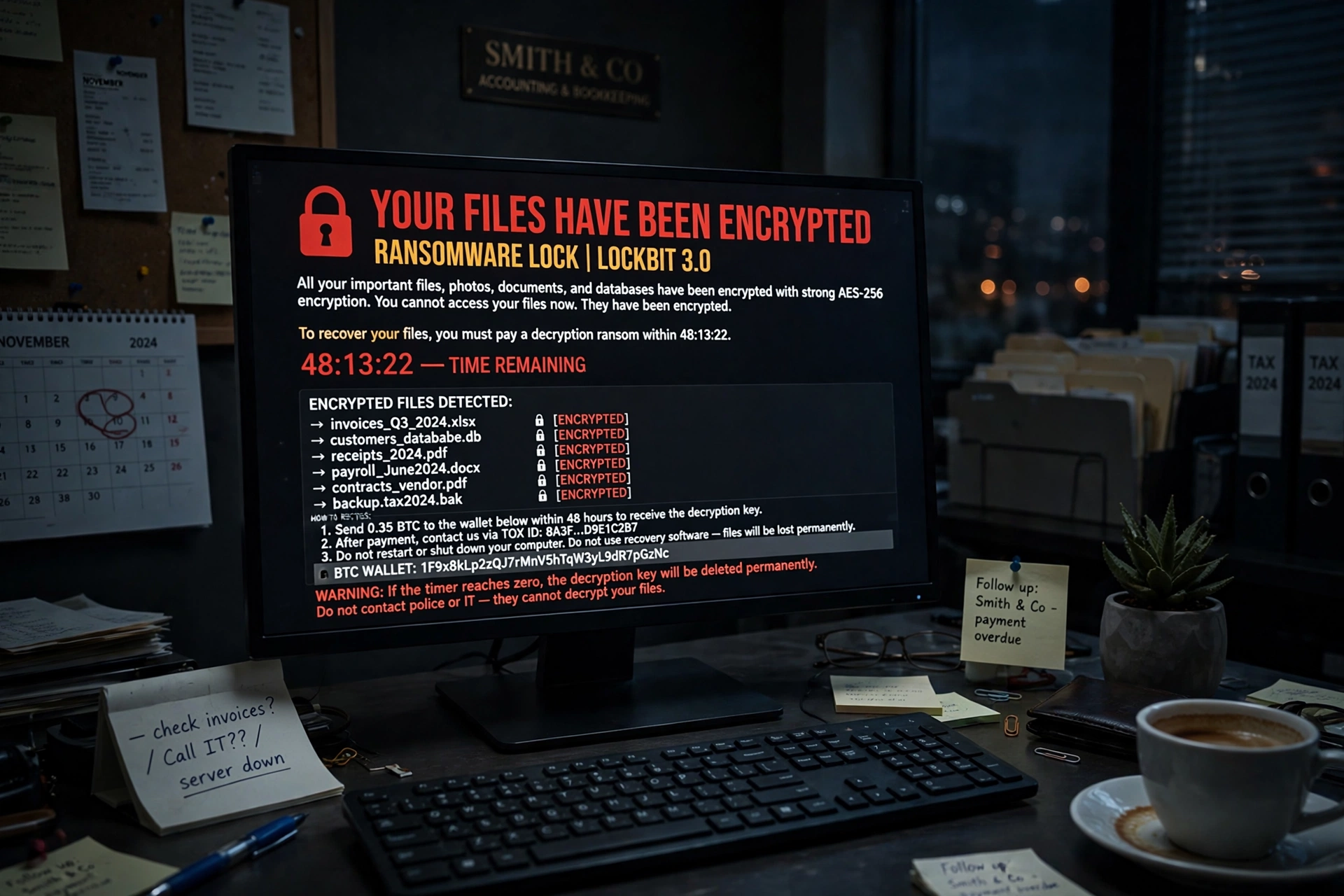
Ransomware is no longer a problem for big corporations. It is, overwhelmingly, a small-business problem — and that is exactly why learning how to protect a small business from ransomware matters more now than ever. Attackers go where the defences are thinnest, and a ten-person firm with no IT department is a softer target than a bank with a security team. The good news is that the defences that work are not expensive or exotic. They are a short list of basics, done properly, in layers.
The scale of the problem is worth stating plainly. Verizon’s 2026 Data Breach Investigations Report found ransomware present in 83% of breaches at small and medium-sized businesses, against 48% of breaches across organisations of all sizes. And of the ransomware victims whose size was known, 96% were small and medium-sized businesses. This is not a risk that might reach small firms one day. It is already concentrated on them.
What an attack actually costs
The ransom itself is usually the smallest part of the bill. Verizon’s 2026 Breach Impact Study, built on roughly 70,000 US cyber-insurance claims, puts the median financial impact on a small-business claim at about $38,000 — and in the worst 2.5% of cases, losses passed 7% of annual revenue. Sophos’ State of Ransomware 2026 study, which surveyed 2,158 IT and cybersecurity leaders hit in the past year, found the average recovery cost reached $1.7 million excluding any ransom payment, across organisations of all sizes. The FBI’s Internet Crime Complaint Center counted 3,611 ransomware complaints in 2025, with reported losses of about $32.3 million — and the FBI itself notes that figure excludes lost business, wages, files and remediation costs, so it understates the real damage.
The other cost is time. A typical small business hit by ransomware is down for days or weeks: no invoicing, no customer records, no email, no orders. That is why the recovery plan matters as much as the prevention plan. You are not only trying to stop an attack. You are trying to make sure that if one lands, you can be back at work without paying a criminal.
How ransomware gets in
Ransomware does not usually break through a firewall with a dramatic hack. It walks in through the front door, using one of three routes:
- Phishing emails. An employee clicks a link or opens an attachment that looks like an invoice, a delivery notice or a message from the boss. This remains the most common entry point.
- Weak or stolen passwords. Attackers test common passwords against remote logins, or buy credentials leaked in an earlier breach. Exposed remote desktop access without multi-factor authentication is a classic entry point.
- Unpatched software. A known vulnerability in a web application, a server or a network device gives the attacker a way in. Microsoft’s incident response team reported that 18% of the breaches it handled were initiated through unpatched web assets.
Understanding those three routes tells you where the money goes. You do not need a security operations centre. You need to close those three doors, keep a backup the attackers cannot reach, and know what to do in the first hour if it happens anyway.
Layer 1: Turn on multi-factor authentication, everywhere
Multi-factor authentication is the single highest-value control a small business can buy, and it costs nothing. Microsoft’s 2025 Digital Defense Report found that 97% of the identity attacks it observed were password-spray attacks — attackers testing common passwords against many accounts. MFA blocks almost all of them, because a stolen password alone is no longer enough.
Prioritise email first, then remote access and VPN, then cloud storage, accounting software and your backup administration console. Every account that can change business systems needs it. Give each employee a separate account — shared logins mean you cannot revoke one person’s access without breaking everyone else’s, and you cannot tell whose credentials were used in an incident.
One caution from the Sophos 2026 study: MFA was present in some form in 97% of incidents where compromised credentials were the root cause. That does not mean MFA failed — it usually means MFA was not enforced on the account that was actually attacked, or an attacker bypassed it through a phishing page that captured the second factor too. The lesson is to enforce it everywhere, including on administrator and backup accounts, and to prefer app-based codes or passkeys over text-message codes where the service allows it.
Layer 2: Patch fast, and remove what you no longer use
Unpatched software is the entry point attackers count on, because it is so easy to exploit at scale. Set a simple rule: critical security patches within 48 hours of release, everything else within two weeks. Turn on automatic updates for operating systems, browsers and the applications you use daily, and put a recurring half-hour on the calendar for the systems that need manual patching — the router, the network-attached storage, the point-of-sale terminal, the printer firmware.
Just as important is removing software you no longer use. An old accounting tool, a forgotten remote-access utility, a web plugin from three years ago — each one is a door you are not watching. Uninstall it. The same applies to user accounts: when someone leaves, disable their accounts the same day.
Layer 3: Train the team to spot phishing emails
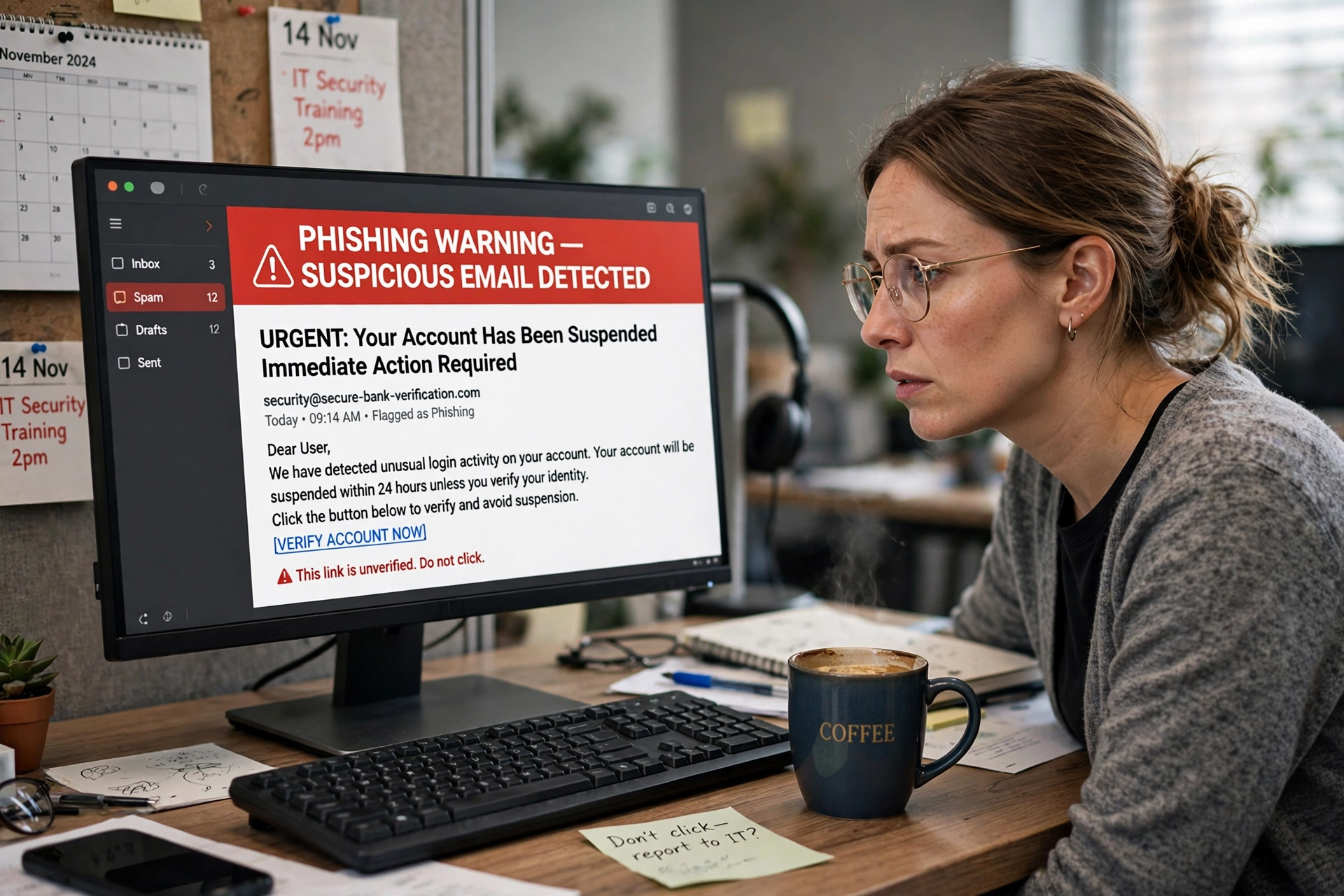
Technology stops some phishing. People stop the rest. The training does not need to be a course — a short, practical session every few months beats an annual video nobody watches. Teach the team the three checks that catch most phishing: does the sender address actually match the company it claims to be from, is the message creating urgency (“verify now or your account closes”), and does the link go where it claims to go.
A practical plan to train your team to spot phishing emails covers exactly this — the red flags, the simulated phishing test, and what to do when someone clicks. The single most important rule to drill in is the reporting rule: if you clicked something suspicious, tell someone immediately. Speed of reporting is what turns a clicked link into a non-event instead of an incident, because the first hour decides how far the attacker gets.
Also set up the technical email protections that cost nothing: SPF, DKIM and DMARC records on your domain, so other businesses’ filters can reject mail forged from your name, and a spam filter that quarantines the obvious fakes before they reach an inbox.
Layer 4: Backups that ransomware cannot touch
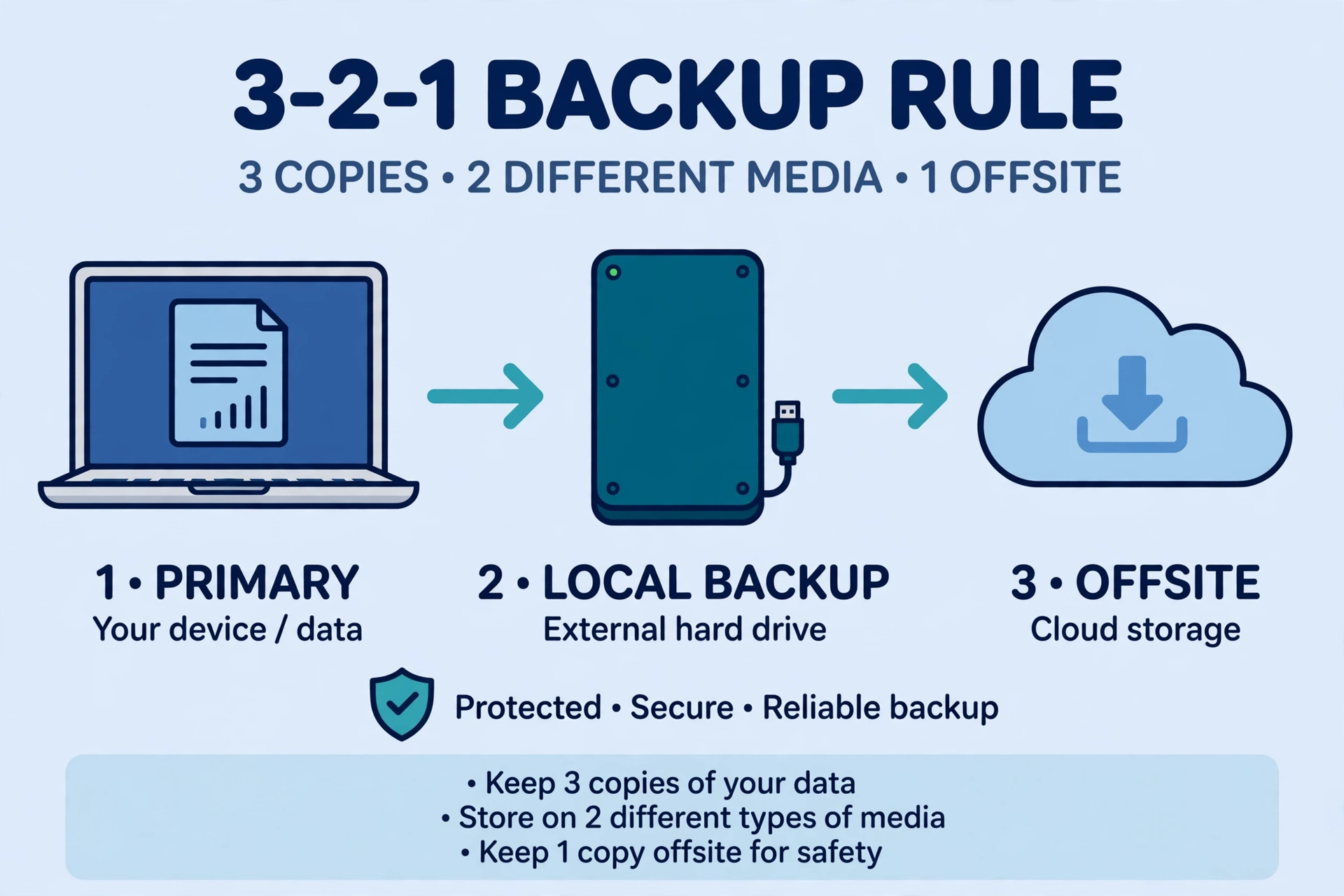
Backups are the most reliable recovery mechanism when ransomware encrypts your files — but only if the backup itself survives. A backup on the same network, under the same administrator account, gets encrypted along with everything else. CISA recommends maintaining offline, encrypted backups of critical data, and regularly testing whether they can actually be restored.
The standard structure is the 3-2-1 rule: three copies of important data, on two different types of storage, with one copy offsite. In practice for a small business that means your live files, a local backup on an external drive or network device that is disconnected after each backup run, and a cloud backup in a service with versioning or immutability — so even if the attacker encrypts today’s files, yesterday’s version is still there. Cloud storage for a small business makes the offsite copy easy, but check that your provider keeps version history and that the backup account uses MFA and a different password from everything else.
Then test the restore. Sophos found that 66% of organisations whose data was encrypted in 2026 recovered using backups, up from 54% the year before — but that number only counts the ones whose backups worked. Pick a sample of files and a business-critical workflow, restore them to a spare machine, and confirm they open and the workflow runs. A backup you have never restored from is a backup you do not actually have. Record who can start a restore if the usual administrator’s account is locked.
Layer 5: Limit what each account can access
Ransomware spreads by using the permissions of the account it lands on. If every employee logs in as an administrator, one clicked link can encrypt the whole network. Apply the principle of least privilege: each person gets only the access their work requires, everyday accounts are separate from administrator accounts, and shared folders are limited to the people who need them.
Segmentation is the same idea applied to the network. The computers that hold customer data and accounting records should not be on the same flat network as the guest Wi-Fi, the smart TV in the break room, or an internet-connected camera. You do not need enterprise network design for this — separate the guest network from the business network, and keep the machines that matter most behind their own passwords and, where possible, their own network segment.
Layer 6: Endpoint protection and monitoring
A modern endpoint protection product — the successor to old antivirus — watches for the behaviour ransomware shows before it encrypts: mass file changes, attempts to delete backups, or a process trying to disable security software. Install it on every machine, including the ones people rarely think about, and keep it updated.
Monitoring does not have to mean a 24-hour security team. At small-business scale it means three habits: review the alerts your endpoint product sends instead of ignoring them, check that backups actually ran each week, and have one person responsible for noticing when something looks wrong — an account locked out repeatedly, a machine suddenly slow, files that will not open. Early detection is what turns a one-machine incident into a one-machine incident instead of a company-wide one.
Layer 7: A written incident response plan
When ransomware appears, the first hour decides the damage. Write down, on one page, what happens: who to call, which systems to isolate first, how to tell customers, and who is allowed to approve any payment decision. Print it. A plan stored on a computer that ransomware just encrypted is not a plan.
The first steps are always the same: disconnect affected devices from the network immediately to stop the spread, do not turn them off until you have advice (evidence lives in memory), and get professional help before restoring anything. Report the incident to law enforcement — the FBI’s IC3 takes online reports — and check whether your insurance requires notification within a set window. Knowing how much cyber insurance costs and what it covers is worth doing before an incident, not during one: the average ransomware insurance claim in Coalition’s 2026 report was $269,000, and a policy that covers forensics, legal help and lost income is what keeps a small firm alive through the downtime. Business interruption insurance is the related cover for the revenue lost while systems are down, and it is worth pricing alongside the cyber policy.
Should you pay the ransom?
Coalition’s 2026 Cyber Claims Report recorded a record 86% of businesses hit by ransomware refusing to pay, and the median ransom payment in Verizon’s data fell below $140,000. Payment is no guarantee of getting your data back, it marks you as a business that pays — which invites a second attack — and in some cases paying a sanctioned group can create legal problems. The practical answer is that paying should never be your recovery plan. If your backups work and your plan is written, you do not need to pay, and that is the whole point of layers one through seven.
A 30-day starter plan
If you are starting from nothing, this sequence gets the basics in place in a month. Week one: turn on MFA for email, remote access and cloud services, and give everyone separate accounts. Week two: patch everything, remove unused software, and set up SPF, DKIM and DMARC. Week three: set up the 3-2-1 backup and run a test restore. Week four: run the phishing training session, write the one-page incident plan, and get a cyber-insurance quote. That is the whole programme, and it costs a small business a few hundred dollars a year at most — against a median claim of about $38,000 and a worst case measured in months of revenue.
Frequently asked questions
Should I pay the ransom if my small business is hit by ransomware?
Payment does not guarantee your data back, it marks your business as one that pays, and it can create legal problems if the group is sanctioned. In 2026 a record 86% of businesses hit by ransomware refused to pay, according to Coalition’s cyber claims report. Treat backups and a written response plan as your recovery strategy instead, and get professional advice before considering any payment.
What is the 3-2-1 backup rule?
Keep three copies of important data, on two different types of storage, with one copy offsite. For a small business that usually means your live files, a local backup on a disconnected external drive, and a cloud backup with versioning or immutability — plus a regular test that you can actually restore from it.
How does ransomware usually get into a small business?
Through phishing emails with malicious links or attachments, through weak or stolen passwords used against remote logins, and through unpatched software vulnerabilities. Verizon’s 2026 report found ransomware in 83% of breaches at small and medium-sized businesses, against 48% of breaches across organisations of all sizes — which is why MFA, patching and phishing training are the first three layers.
Does antivirus software stop ransomware?
Traditional antivirus alone does not. Modern endpoint protection watches for ransomware behaviour — mass file encryption, attempts to delete backups, disabling security tools — and can stop an attack mid-run. It is one layer among seven, not a replacement for MFA, patching, backups and training.