
How Much Does Slack Cost Per User in 2026? Plans, Team-Size Math and the Hidden Costs
How much does Slack cost per user? For a small business, the short answer is $7.25 per user a month on the Pro plan when billed annually, or $8.75 a month if you pay month to month. Business+ costs $15 per user a month billed annually, or $18 month to month. The free plan costs nothing but caps your searchable message history at 90 days. Enterprise+ is quoted by sales, though Slack’s pricing page now lists it at $45 per user a month on annual billing.
That per-user figure is only the start of the real bill, though. Slack charges per active user, not per seat you create, and the plan you pick decides whether old messages stay searchable, whether you can use more than ten apps, and whether your team gets Slack’s AI features. This guide works out what a team of 5, 10, 25 or 50 people actually pays, what the free plan quietly takes away, and the extra costs that never appear on the pricing page. Prices below are Slack’s published US list prices, checked against slack.com/pricing in October 2026.
The four plans, at a glance
Slack sells four tiers. Three of them have published prices; the fourth is sold through sales.
| Plan | Per user / month, billed annually | Per user / month, billed monthly | Message history |
|---|---|---|---|
| Free | $0 | $0 | 90 days |
| Pro | $7.25 | $8.75 | Unlimited |
| Business+ | $15 | $18 | Unlimited |
| Enterprise+ | $45 (listed) | Contact sales | Unlimited |
The gap between annual and monthly billing is worth doing the maths on before you choose. On Pro, annual billing saves $1.50 per user a month — $18 a year per person. On a ten-person team that is $180 a year. On Business+, the saving is $3 per user a month, or $360 a year for ten people. Monthly billing only wins if you genuinely might cancel within a few months, because you pay roughly 20% more for the flexibility.
Slack also runs an introductory offer worth knowing about: 50% off the first three months on monthly billing, which cuts Pro to $4.38 and Business+ to $9 a month. The catch is that it applies only if you buy within seven days of creating the workspace, and it does not apply to annual plans. It is a trial sweetener, not a price you can plan a year around.

What each plan actually gives you
Free — $0. The free plan is a genuine product, not a demo. You get unlimited members, which is unusual: most team-chat tools cap free seats. You get channels, direct messages, one-to-one voice and video huddles, and up to ten app integrations. What you do not get is the history. Only the last 90 days of messages are visible and searchable, and content older than a year is deleted. For a team that treats Slack as its memory — decisions, links, client instructions — that is the limit that eventually forces an upgrade. The ten-app cap bites second: connect Google Drive, Zoom, Asana and a few more, and you are already choosing what to drop.
Pro — $7.25 a month billed annually. This is the plan most small businesses land on. Message history becomes unlimited, so nothing disappears. App integrations become unlimited. Group huddles open up, so more than two people can jump on a quick call. You also get Slack Connect, which lets you message people in other organisations from inside your own workspace, and basic AI features such as message summaries. For a team under 25 people, Pro is usually the whole answer.
Business+ — $15 a month billed annually. Business+ adds the things a growing company starts to need once headcount passes a few dozen or clients start asking about security: single sign-on through SAML, user provisioning through SCIM, message-retention controls, and the full AI package — Slack’s AI search, workflow generation and an AI assistant that can summarise channels. It also brings four-hour first-response support instead of Pro’s standard support. The price doubled in effect for many customers when Business+ rose from $12.50 to $15 per user a month in June 2025, applied at each customer’s first renewal after August 17, 2025. If you are comparing old blog posts that still quote $12.50, that is why they disagree with the live price.
Enterprise+ — $45 a month billed annually (listed), sold through sales. This tier is for large organisations: unlimited workspaces, enterprise key management, data residency options and a dedicated account team. A small business will not buy it, and should not be quoted it as a comparison point. It matters here only because Slack now publishes the $45 figure on its pricing page, so you may see it cited in roundups.
The free plan: when $0 is genuinely enough
The free plan works when your team is small, your chat is mostly day-to-day coordination, and nothing important lives only in Slack. A five-person shop that keeps its real records in email, a CRM or a shared drive can run on free Slack for years. The 90-day history limit only hurts when someone needs to find a decision from four months ago — and if that happens once a quarter, the workaround is to paste decisions somewhere permanent.

The free plan stops working when Slack becomes the place of record. The moment a client instruction, a price agreement or a supplier’s delivery date exists only in a channel, the 90-day window becomes a business risk rather than an inconvenience. The same applies to teams that live in integrations: ten apps sounds generous until you count them. A typical stack — Google Drive, Zoom, Asana or Trello, a calendar app, a bot for stand-ups and one for time off — is already six or seven. Add a second project tool and a support inbox and you are at the cap.
Team-size maths: what you actually pay
Slack bills per active user, not per member. Under its Fair Billing Policy, anyone who does not use Slack during the billing period is not charged, and the company credits you for people who go inactive. That matters for teams with seasonal staff, part-timers or contractors who dip in and out. It does not help with the core team: everyone who chats every week is a billable user.
Here is the annual bill at standard list prices, assuming every user is active all year:
| Team size | Pro, billed annually | Pro, billed monthly | Business+, billed annually | Business+, billed monthly |
|---|---|---|---|---|
| 5 users | $435/year | $525/year | $900/year | $1,080/year |
| 10 users | $870/year | $1,050/year | $1,800/year | $2,160/year |
| 25 users | $2,175/year | $2,625/year | $4,500/year | $5,400/year |
| 50 users | $4,350/year | $5,250/year | $9,000/year | $10,800/year |
Two things jump out. First, the annual-billing discount is real money at any size: a 25-person team saves $450 a year on Pro just by paying annually. Second, the step from Pro to Business+ roughly doubles the bill. That is the decision that deserves the most thought, because the features that justify it — single sign-on, retention controls, advanced AI — either matter to your business or they do not. There is no middle tier to grow into gradually.
Single-channel guests are free and do not count as billable users, which is useful if you want a client or a freelancer in one channel without paying for a seat. Multi-channel guests, who can join several channels, are billed. If your model involves a lot of outside collaborators, count them before you budget.
The hidden costs that never appear on the pricing page
Add-ons and integrations. Slack itself is the platform; the tools plugged into it cost extra. A project board, a stand-up bot, a time tracker or a helpdesk integration each carries its own subscription. A team that adds three paid integrations at $5 to $10 a user a month can easily double what Slack itself costs. Audit the app list before you budget, not after.
Slack AI. Basic AI features are included in Pro, but the advanced set — AI search across the workspace, workflow generation, the assistant that drafts and summarises — sits in Business+. If your reason for paying is AI, check which tier the feature you actually want lives in, because the marketing page groups them together.
The alternatives are bundled, not free. Microsoft Teams comes bundled with Microsoft 365, which many small businesses already pay for — Business Basic is $7 a user a month and includes Teams, email and cloud storage. Google Chat is included in Google Workspace at the same starting price. Slack is a better chat product than either for many teams, but it is an extra subscription on top of the office suite you already pay for, not a replacement for it. That is the honest comparison to make before you commit.
Admin time. Slack needs someone to own it: channel naming, who can create channels, retention settings, guest access, app approvals. On the free and Pro plans that is usually the owner or an office manager doing it in spare moments. On Business+ the admin controls are stronger, but they also need configuring. Budget an hour a month, not zero.
Nonprofit pricing. Registered nonprofits get an 85% discount on paid plans, and workspaces with 250 members or fewer can get a free upgrade to Pro. If you are a charity or community organisation, apply before you pay anything — the discount is substantial and it is easy to miss.
Is Slack Pro worth it for a small business?
For most small teams the answer is yes, once the free plan’s history limit starts costing time. Ten people on Pro costs $870 a year billed annually — about $7.25 per person a month, less than one team lunch. Unlimited history means decisions stay findable, unlimited apps means you stop rationing integrations, and group huddles replace a surprising number of scheduled meetings. The value is in the time saved searching for things, not in any single feature.
Business+ is worth it when you have a concrete reason: a client contract that requires single sign-on, a compliance need for message retention, or a team large enough that AI search across thousands of messages saves real hours. Paying double for features you might use one day is the most common way small businesses overspend on Slack. Start on Pro, and upgrade when a specific Business+ feature solves a specific problem you already have.
How to decide in ten minutes
First, count your active users honestly — not headcount, but the people who will actually chat every week. Second, check whether anything that matters lives only in Slack and is older than 90 days; if yes, the free plan is already costing you. Third, list the integrations you need and price them separately. Fourth, decide whether single sign-on or retention controls are a requirement or a nice-to-have. If the answers point to Pro, pay annually and set a calendar reminder to review the seat count every quarter, because Fair Billing credits only help if someone notices the inactive users.
And if your team is already living in Microsoft 365 or Google Workspace, run the comparison properly before adding a third subscription. The chat tool that comes with the suite you already pay for is not free, but it is already paid for — and for a team that mostly needs channels and calls, it may be enough. For teams that live in chat all day, though, Slack’s $7.25 a user a month is a small price for the tool your whole working day runs through. AI meeting note-takers can also plug into Slack to capture decisions from calls, which is worth weighing when you compare tools.
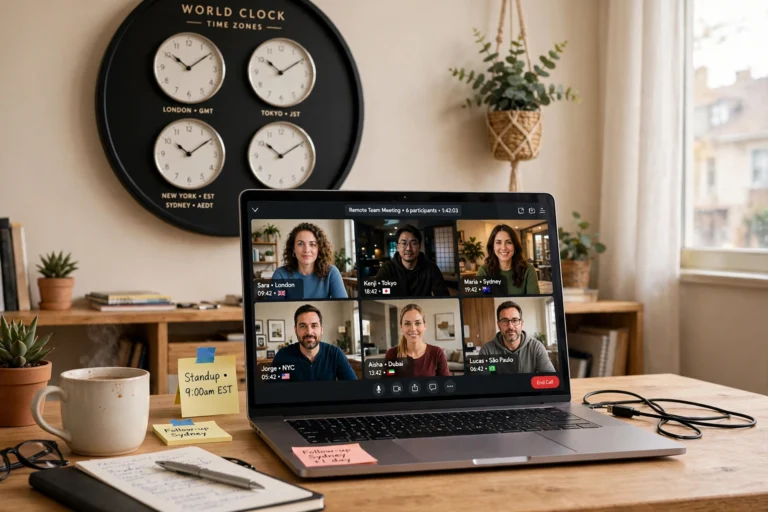
And if your team is spread out, the same thinking applies to managing a remote team across time zones — the chat tool is only as good as the working hours and handoff rules around it.
Frequently asked questions
Is Slack free?
Yes, Slack has a free plan that costs $0 and allows unlimited members. It limits searchable message history to 90 days, allows up to 10 app integrations, and offers one-to-one huddles only. Paid plans start at $7.25 per user a month billed annually.
How much does Slack cost per user per month?
Slack Pro costs $7.25 per user a month billed annually, or $8.75 billed monthly. Business+ costs $15 per user a month billed annually, or $18 billed monthly. Enterprise+ is listed at $45 per user a month billed annually and is sold through sales.
Does Slack charge for inactive users?
No. Under Slack’s Fair Billing Policy you are only charged for users who are active during the billing period, and Slack credits you for members who become inactive. Single-channel guests are free; multi-channel guests are billed.
Is Slack Pro worth it for a small business?
For most small teams, yes. Pro costs $870 a year for ten users billed annually and adds unlimited message history, unlimited app integrations, group huddles and Slack Connect. Business+ is worth the higher price only if you need single sign-on, retention controls or advanced AI features.
Sources (text credit only, no links): Slack pricing page, slack.com/pricing, checked October 2026; Slack Help Center, Fair Billing Policy and nonprofit discount pages. Prices are US list prices and exclude tax.